
My role Product designer – responsible for discovery, UX strategy, interaction design, visual design, and validation across mobile and web experiences.
Case study Download PDF
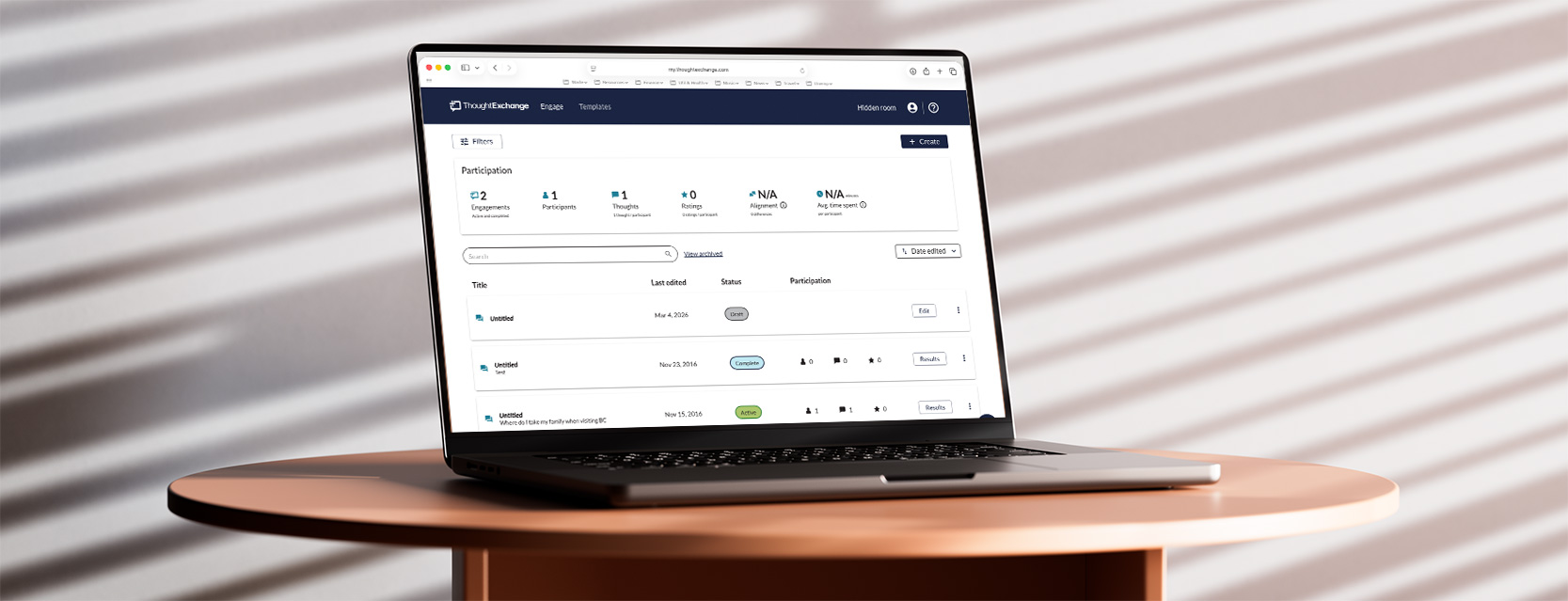
Company & Product Context
ThoughtExchange is a cloud based, AI-powered engagement platform that helps organizations gather and act on large-scale community feedback. Unlike traditional one-way surveys, it fosters two-way participation by allowing users to share ideas, evaluate others’ input, and engage in discussion through Exchanges—helping organizations tap into collective intelligence for better decision-making; broken into 2 sectors of Leader creation of Exchanges (Leader Experience – customer facing) and Participants contributing ideas (Participant Experience – public facing)
The team
PMs Shonagh MacRae, Matias Fontacilla, Momo Kajitani, Huben Orcharov
Devs Matt Tobey, Xu Cheng, Slavica Milanovic Golijanin, Wilson Cao, Nathan Blok
The Problem
The core workflow of the Leader Experience — creating an Exchange — was unnecessarily complex; it was functional — but frustrating — the core action of the platform felt heavier than it should have. The platform’s promise was clarity and collective insight. The creation flow delivered the opposite. Leaders weren’t feeling guided. They were feeling slowed down. And for a platform designed to empower leaders, that was a problem.
The experience created friction at the most critical moment in the product. Feedback from CSM, sales, feature requests in Aha!, and customer complaints – consistently highlighted confusion, inefficiency, and lack of confidence during setup.
Core issue
Leaders had to:
- Jump between multiple screens to set up an Exchange
- Navigate an embedded-style interface that felt clunky
- Click back and forth repeatedly to complete a workflow
- Manage too many disconnected setup pages
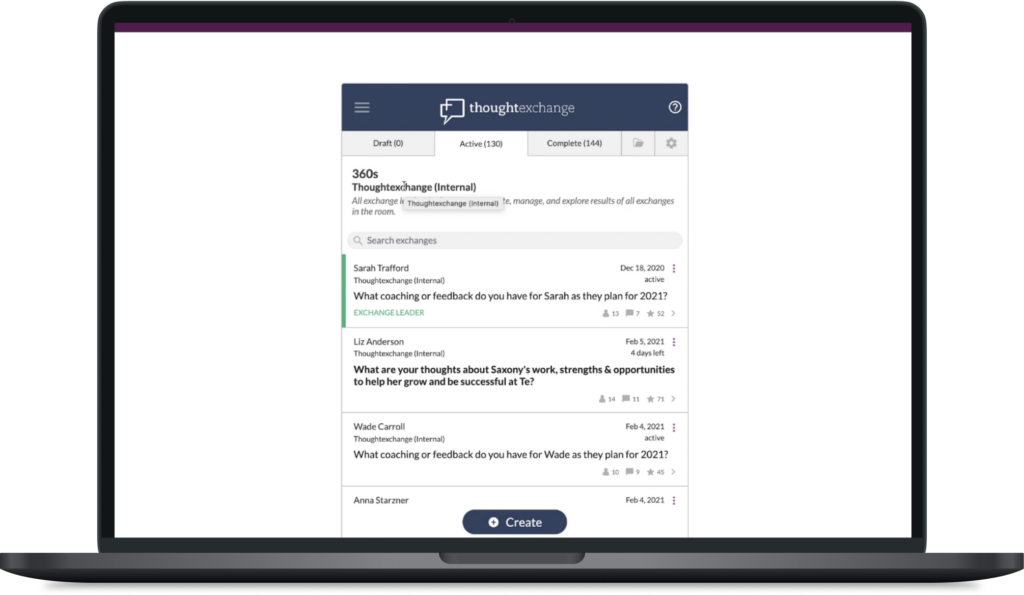
OLD LEADER EXERIENCE
Play demo

My Approach
Discovery: Listening Before Designing
To understand real workflows, I ran a discovery phase focused on how users plan, review, and execute tasks throughout the day. Before touching wireframes, I immersed myself in customer feedback.
Re-Architecting the Creation Flow
I worked on mapping the full “Create an Exchange” journey from a Leader’s perspective.
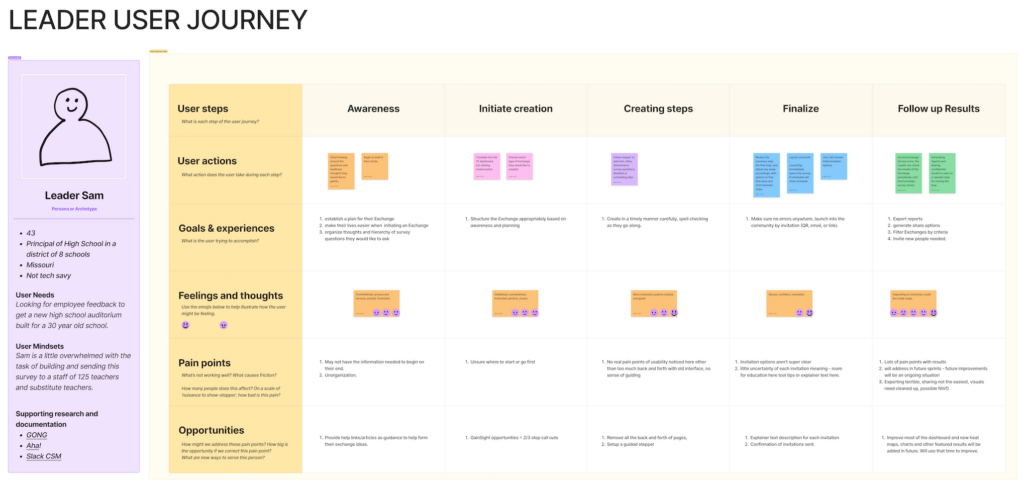
Findings & Goal Initiatives
Patterns were clear:
- Confusion during setup
- Frustration with navigation
- Lack of confidence when configuring Exchanges
The biggest issue? Too much back and forth. The goal: move from fragmented setup to guided confidence, make creating an Exchange feel confident, not chaotic; to redesign the experience of creating. Instead of a guided experience, leaders were bouncing between disconnected screens. It felt procedural, not intentional.
So I shifted the model and introduced a guided configuration flow — a step-by-step pathway that reduced cognitive load and increased clarity.
Research Methods
Customer feedback
8 interviews with individual contributors leads to understand planning habits and pain points
Internal feedback
Combed through various Slack threads and channels from the CMS team, sales call recordings, support tickets and product requests
Quantitative data
Review of feature usage to identify underused or confusing areas of the product.
User testing
Task-based tests to observe how users create, prioritize, and complete tasks.
Needs
Key UX decisions:
- Progressive disclosure for advanced settings
- Constraint-based logic to prevent invalid submissions
- Real-time visual feedback to reinforce decisions
- Inline validation before finalizing setup
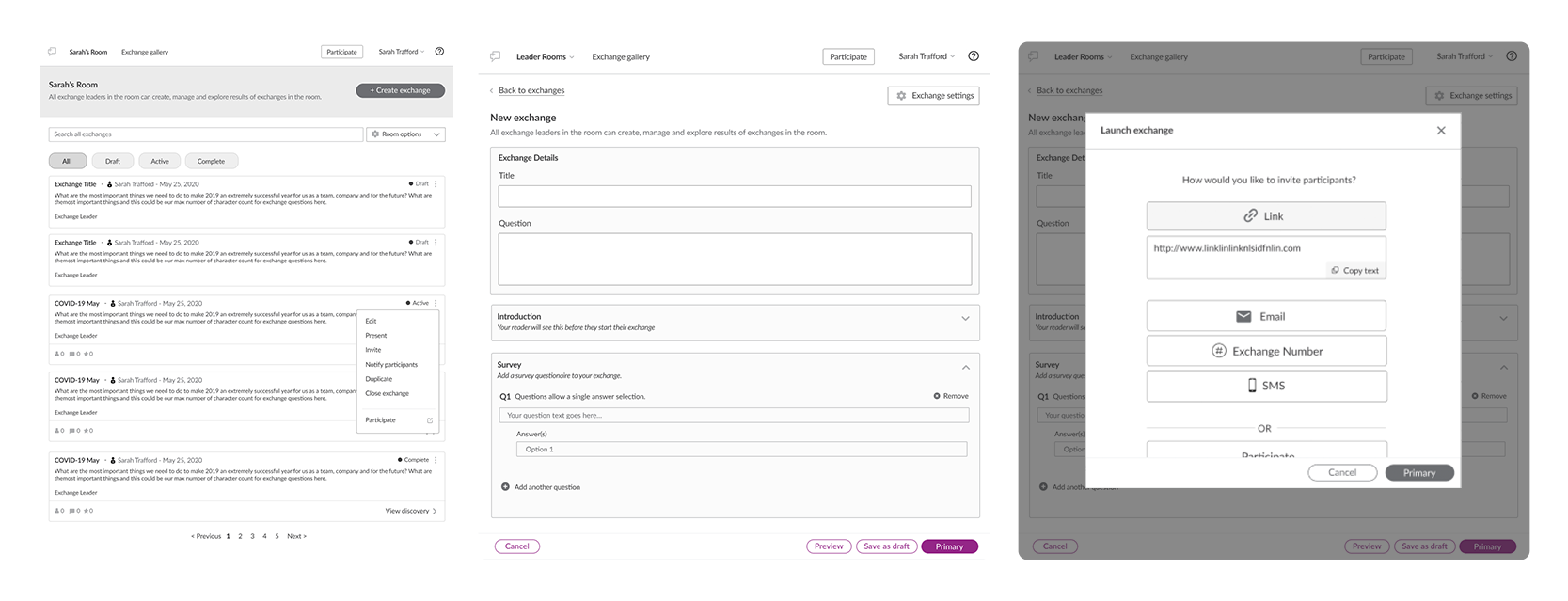
Define & Validate
Wireframing and Testing
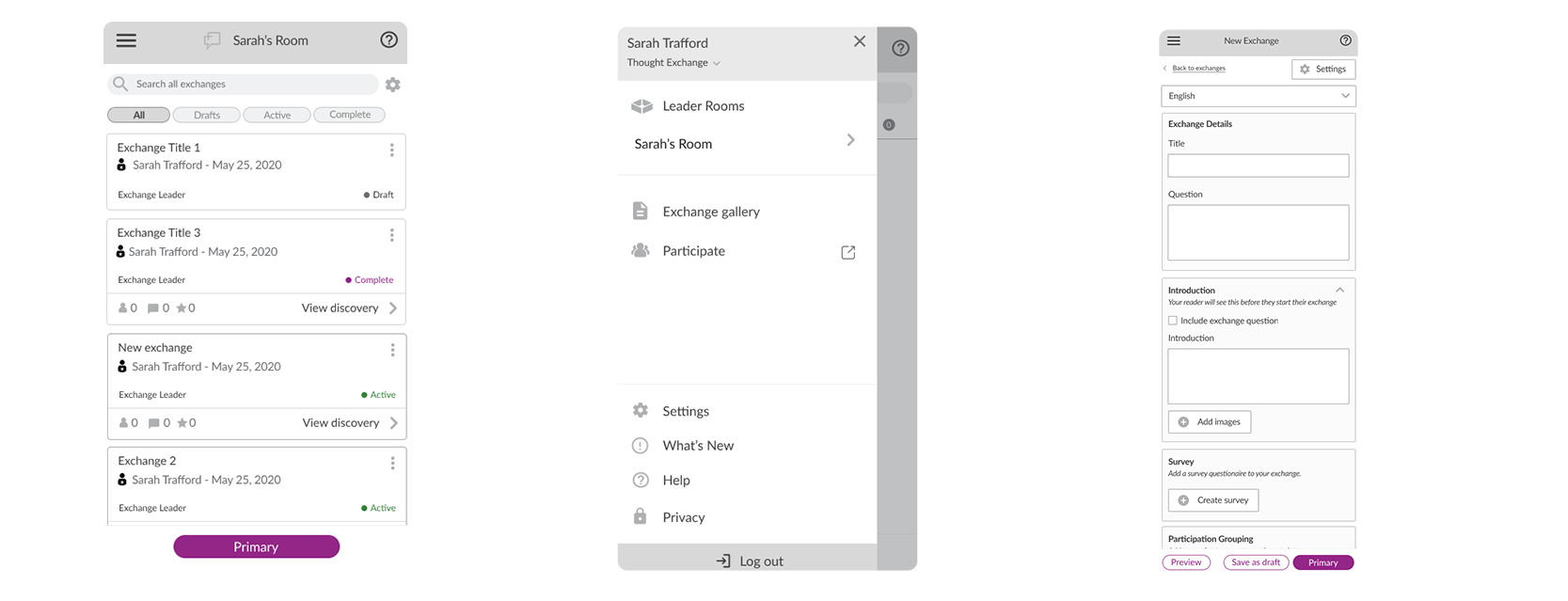
I built wireframes and interactive Figma prototypes to conduct further usability tests with customers and internal teams; for usability, decision clarity, perceived effort and Leader confidence. Insights drove refinements to hierarchy, micro-interactions, and system logic — ensuring the experience felt intentional and intuitive. This wasn’t just a design exercise — it required alignment with engineering constraints and product strategy.
High-Fidelity System Design & Implementation
With validated flows in place, I translated the experience into a clean, scalable interface.
I developed:
- A modernized, brand-aligned UI
- Reusable components
- Consistent interaction patterns
- Foundations for a scalable design system
During implementation, I worked closely with Engineering to ensure the UX integrity survived handoff — collaborating through edge cases, states, and technical constraints.
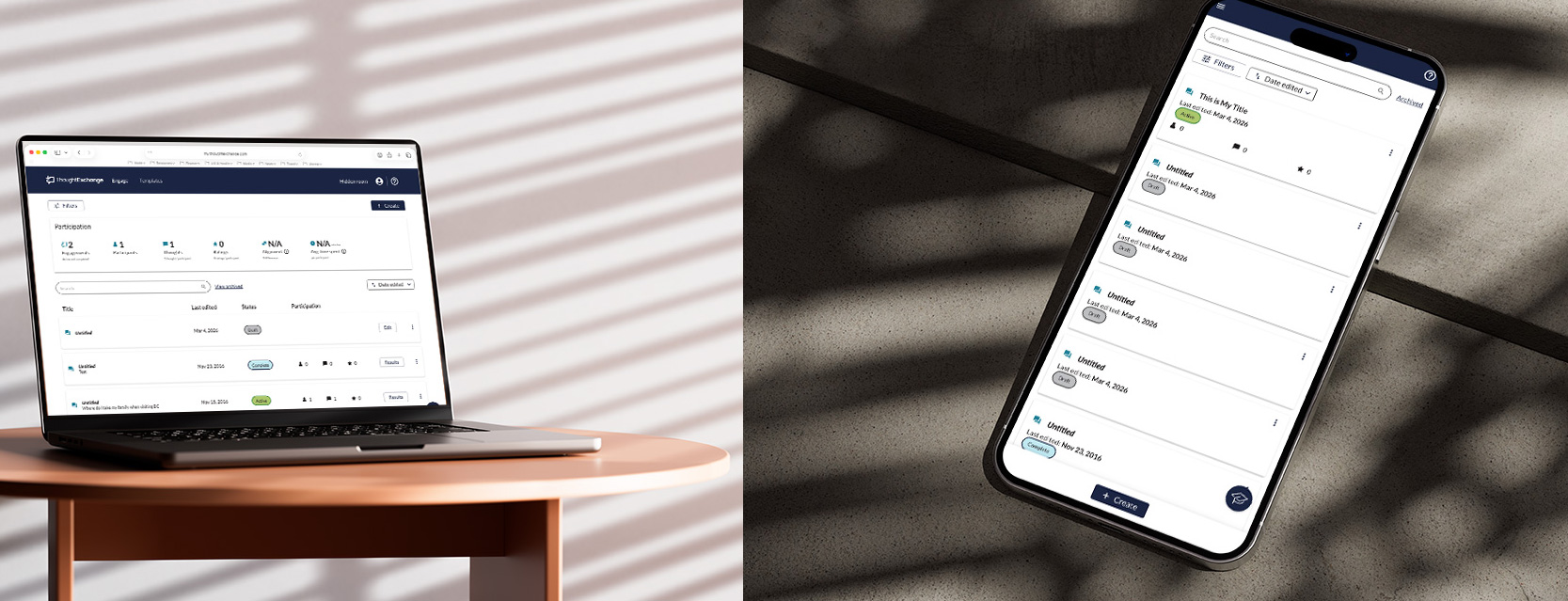
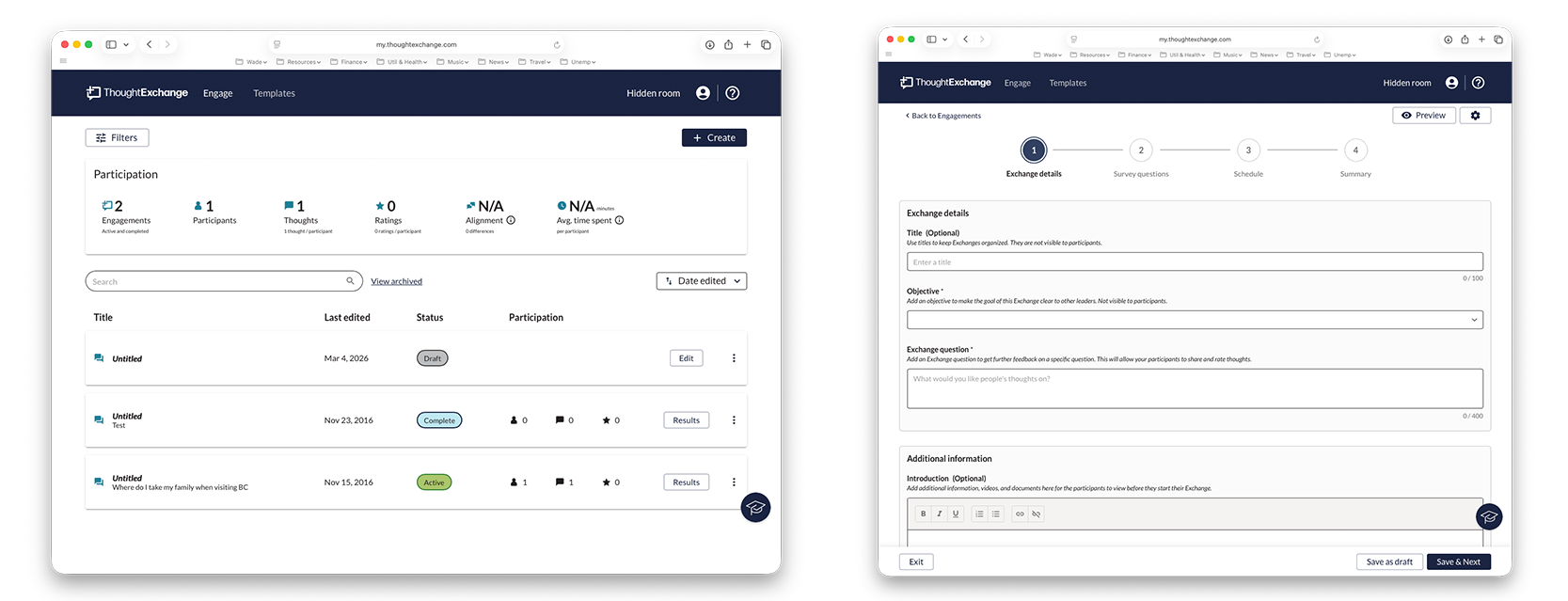
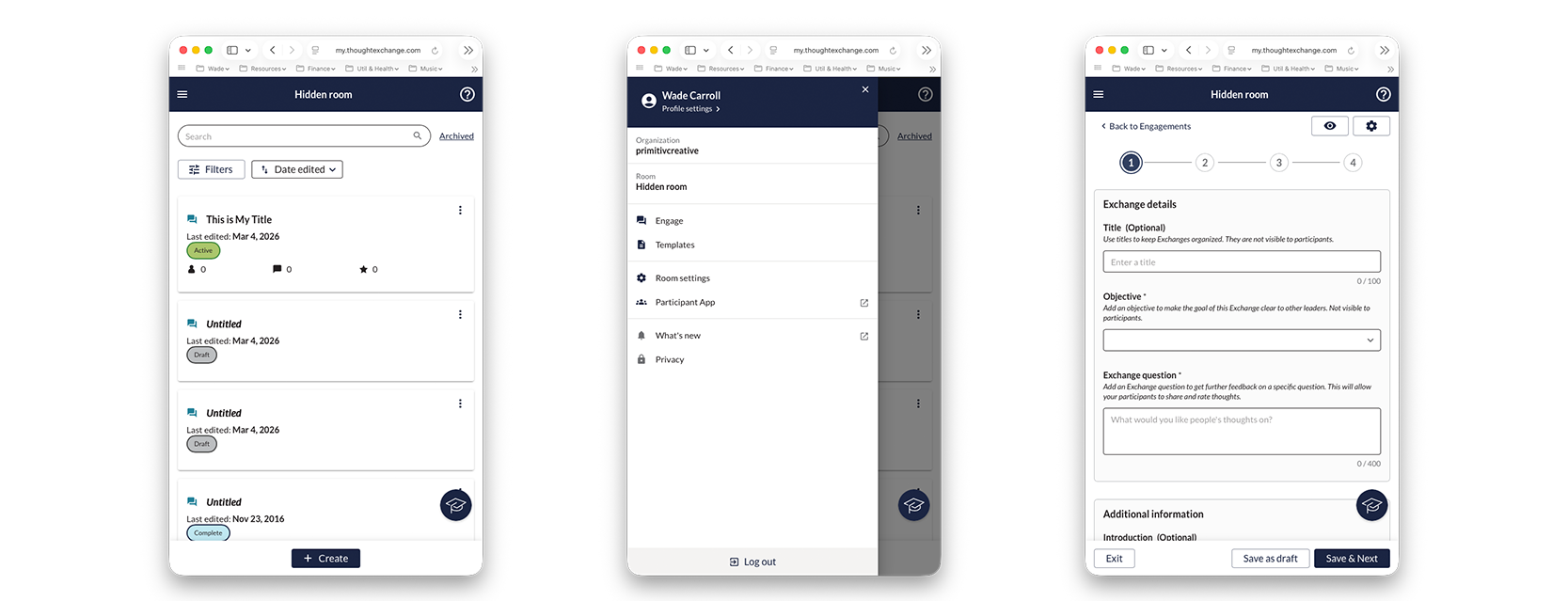
The redesign transformed the core workflow of the platform.
We successfully:
- Reduced back-and-forth during Exchange creation
- Simplified a previously fragmented setup process
- Modernized the product’s visual presence
- Built infrastructure that scaled with the company