
My contribution Product designer, responsible for discovery, UX strategy, interaction design, visual design, and validation across mobile and web experiences.
Case study Download PDF
Company & Product Context
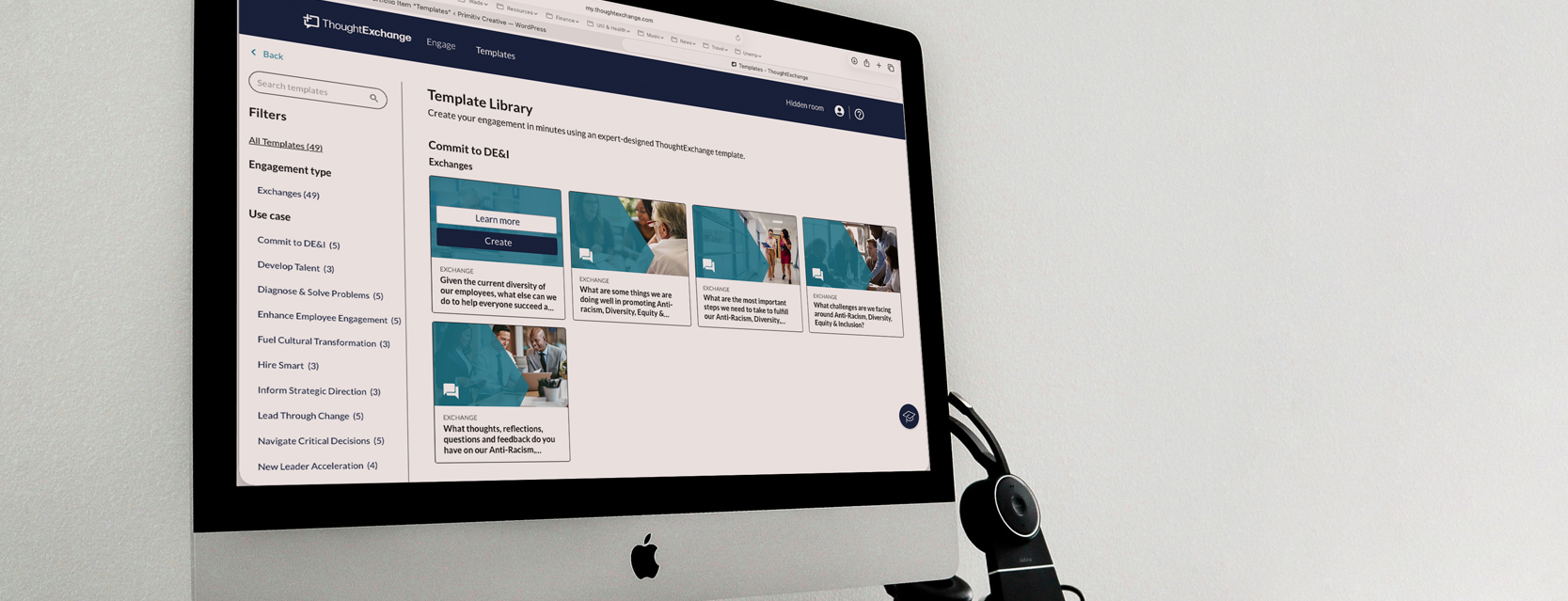
ThoughtExchange is a cloud based, AI-powered engagement platform that helps organizations gather and act on large-scale community feedback. Unlike traditional one-way surveys, it fosters two-way participation by allowing users to share ideas, evaluate others’ input, and engage in discussion through Exchanges—helping organizations tap into collective intelligence for better decision-making; broken into 2 sectors of Leader creation of Exchanges (Leader Experience – customer facing) and Participants contributing ideas (Participant Experience – public facing)
The team
PMs Shonagh MacRae
Devs Matt Tobey, Slavica Milanovic Golijanin
The Problem
One recurring challenge for leaders using ThoughtExchange was getting started. Creating an Exchange or survey required starting from scratch, which left many users feeling unsupported and overwhelmed. Without guidance, the blank-slate experience created hesitation and slowed adoption. Leaders wanted inspiration, structure, and examples to help them move forward.
Customers frequently referenced competitors like SurveyMonkey and Qualtrics, which offered template libraries and pre-built survey structures to help users begin quickly. The opportunity was clear: introduce guided starting points that reduced friction and gave leaders confidence from the first step.
Leaders were struggling at the most critical moment in the workflow: getting started.
Core issue
Users reported feeling:
- Overwhelmed by building surveys from a blank state
- Unsure how to structure their Exchange
- Unsupported during the creation process
My Approach
Discovery
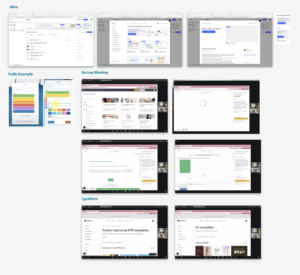
To understand how others solved this problem, I conducted competitive research across platforms.
Click thumbnail for full view
Findings
A clear pattern emerged: successful platforms provided template libraries that helped users quickly launch common workflows. Competitive analysis revealed that many platforms surface templates in multiple places. To maximize discoverability.
Templates weren’t just shortcuts — they were onboarding tools.
Define & Validate
Wireframing & User Testing
I created interactive Figma prototypes and tested multiple iterations with customers and internal teams.
Testing focused on:
- Usability
- Decision clarity
- Perceived effort
- Leader confidence
Results showed an even split in behavior: about half of users discovered templates through the library, while the other half accessed them directly during creation.
Testing also surfaced additional needs:
- Clear template descriptions and objectives
- Visibility into question types and structure
- The ability to preview and share templates before using them
These insights shaped both the information architecture and visual presentation of the template system.
Research Methods
Competitor research
- Survey Monkey
- Qualtrics
- Maze
- Monday
- Figma
Internal & customer feedback
Leveraged PMs Gong, AHA! and other meeting recordings and calls, slack threads and channels from the CMS team, support tickets and product requests
Needs
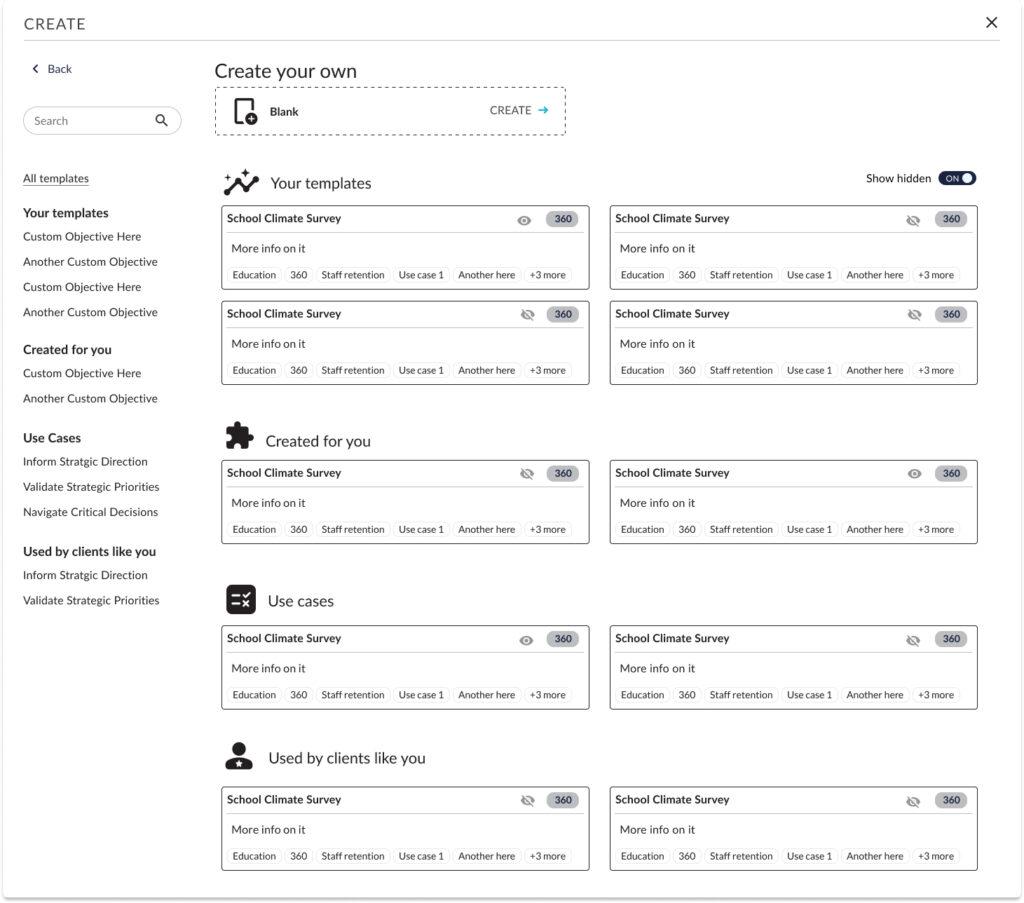
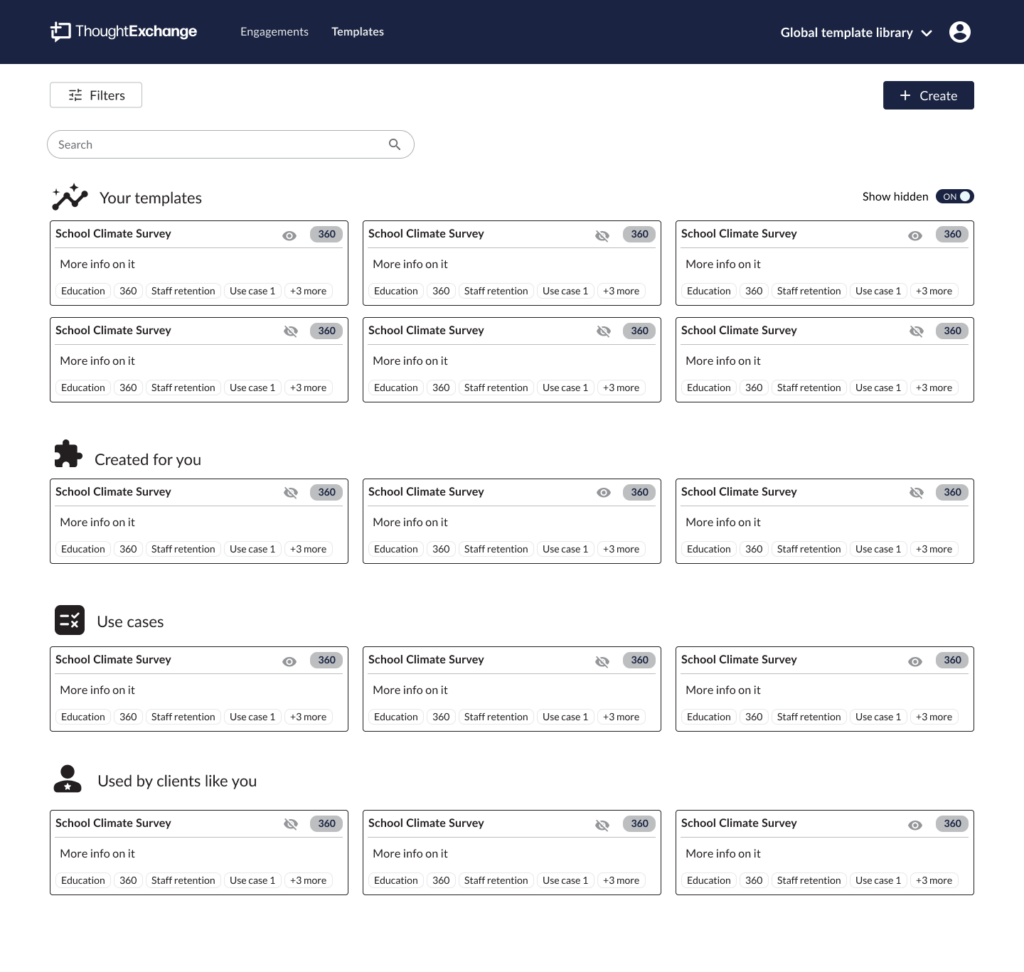
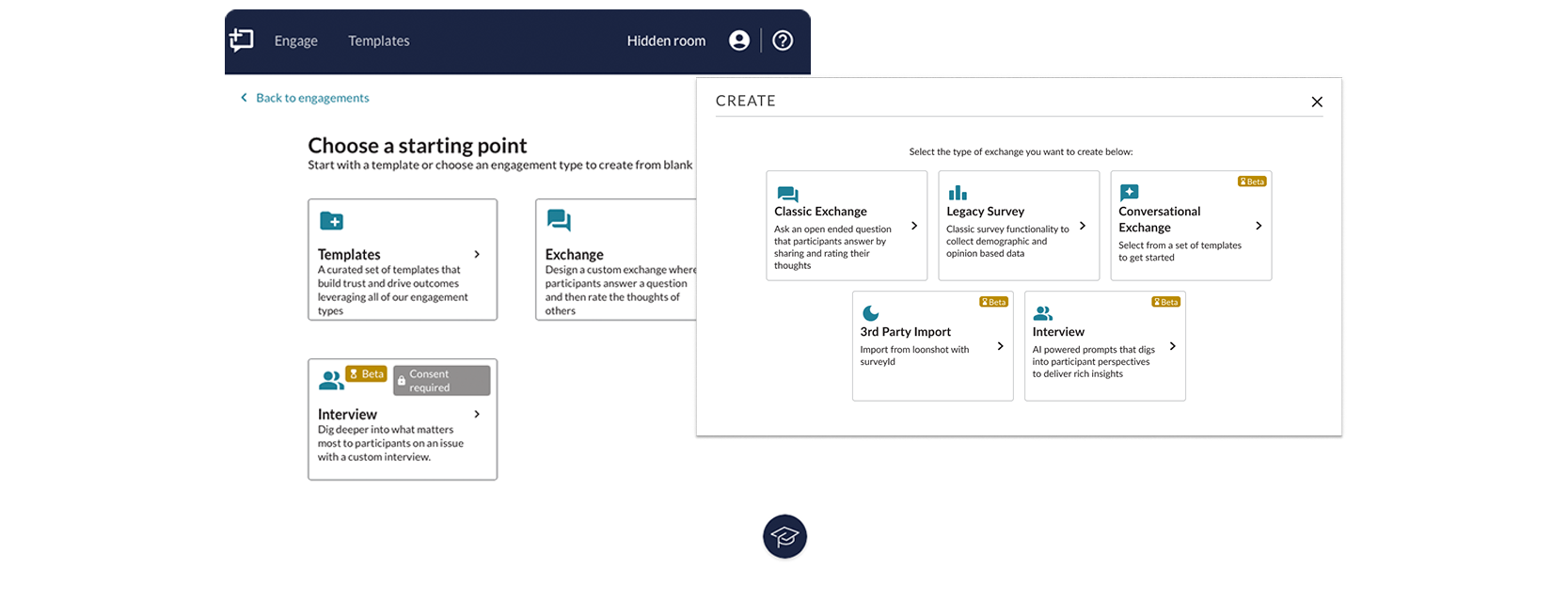
Key UX decisions – to design 2 entry points:
- A dedicated template library
- Direct access within the Exchange creation flow
This allowed leaders to either browse for inspiration or choose a structured starting point while creating.
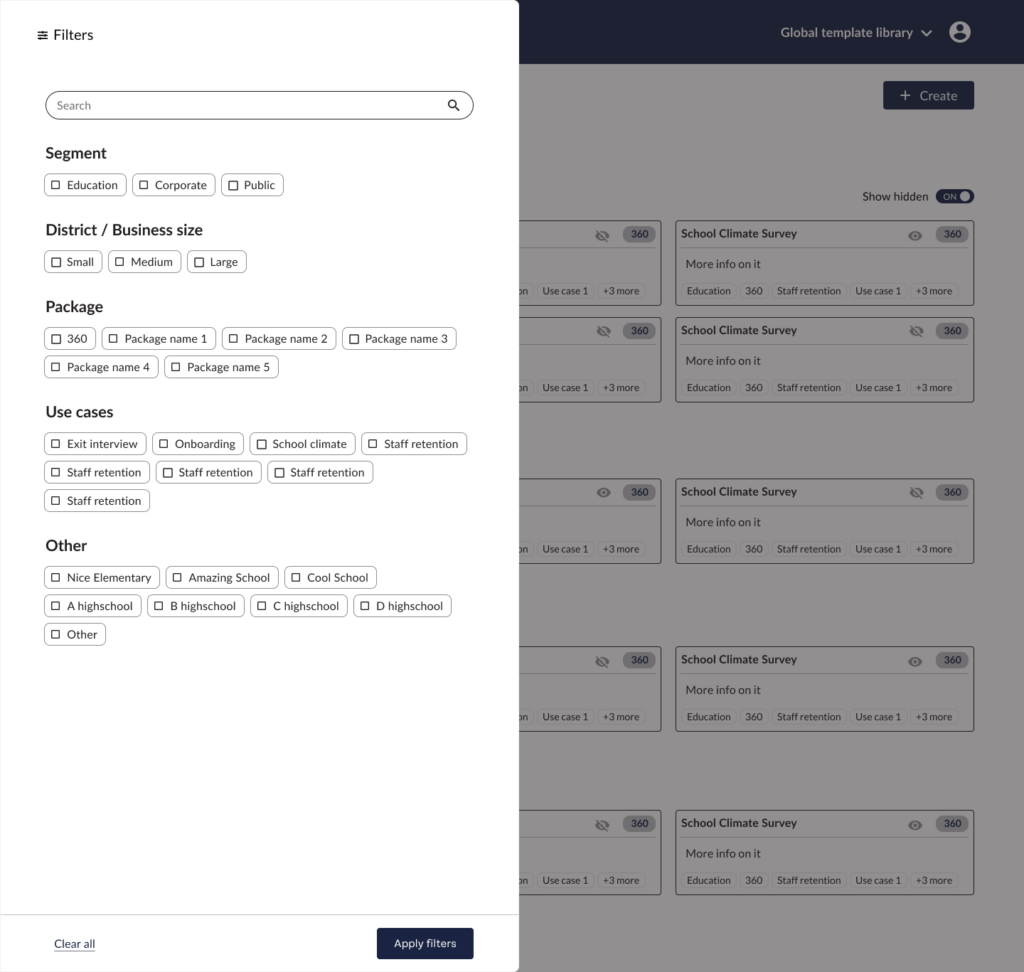
High-Fidelity Design & Implementation
With validated flows in place, I translated the experience into a scalable interface.
The solution included:
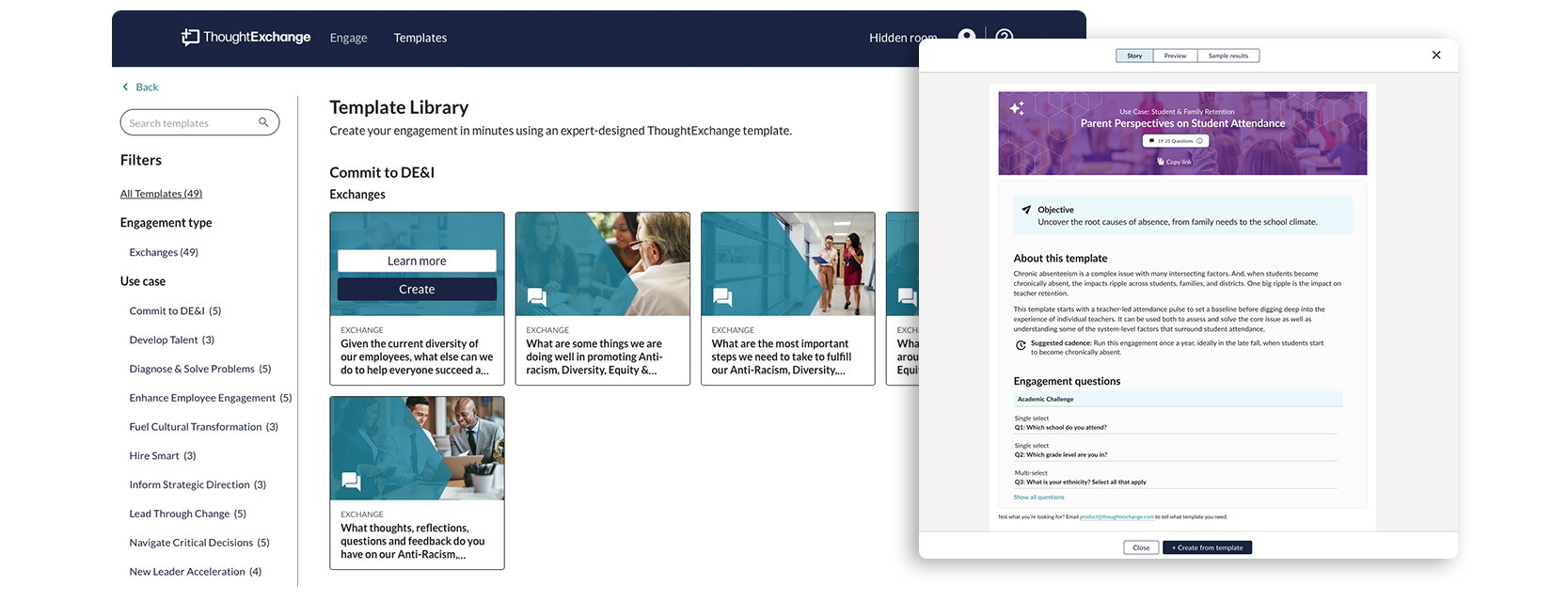
- A visual template gallery with color-coded categories and imagery
- Detailed “Learn More” overlays describing each template’s purpose and structure
- Reusable UI components to support future template expansion
- A scalable asset catalog to support engineering implementation
I worked closely with engineering through development to ensure UX consistency across states, edge cases, and filtering behavior.
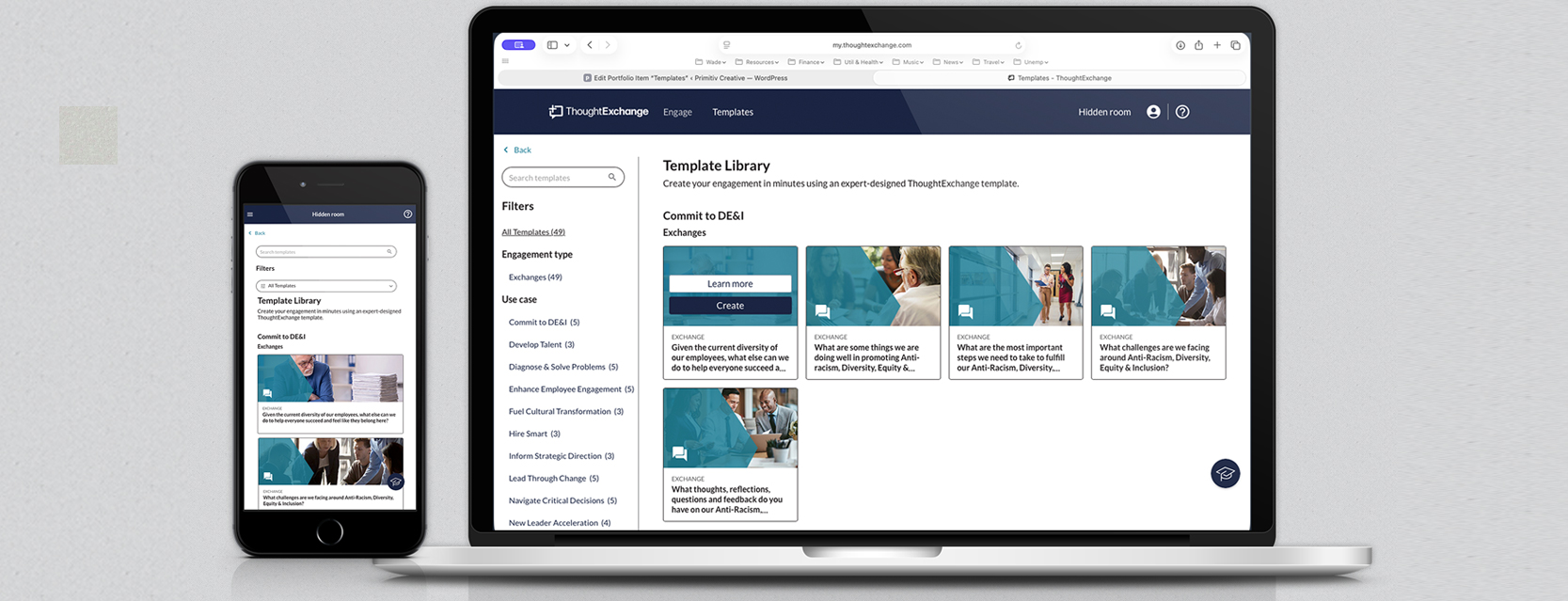

Introducing templates fundamentally improved the creation experience. We were able to:
- Reduce frustration and hesitation during survey creation
- Provide clear guidance and inspiration for new Exchanges
- Improve discoverability through multiple entry points
- Established a scalable framework for expanding the template library